
Category Tech & Digital Life

The Future of Remote Work

The Future of Remote Work

Remote work was once considered a luxury or a temporary solution. Today, it has become a global movement that is reshaping how, where, and when people work. Advances in technology, changing employee expectations, and global events have accelerated the shift toward remote and hybrid work models. As organizations and workers continue to adapt, one important question arises: What does the future of remote work look like? This article explores how remote work is evolving, the opportunities it presents, the challenges it brings, and what individuals and businesses can expect in the years ahead.

The Rise of Remote Work

Remote work existed long before it became mainstream, but it was limited to freelancers and select tech roles. The widespread adoption of high-speed internet, cloud computing, and collaboration tools laid the foundation for broader remote work opportunities. Global disruptions forced companies to rethink traditional office setups, proving that productivity does not depend on physical presence. As a result, many organizations discovered that remote work could be both efficient and cost-effective.

Why Remote Work Is Here to Stay

Remote work is not a passing trend. Several key factors ensure its long-term future:

Employee Demand:

Workers increasingly value flexibility, work-life balance, and autonomy. Remote work allows employees to design their workdays around personal needs without sacrificing productivity.

Business Benefits:

Companies save on office space, utilities, and operational costs. They also gain access to a global talent pool rather than being limited by geography.

Technological Advancements:

Tools like video conferencing, cloud-based software, project management platforms, and AI-powered assistants make remote collaboration seamless.

Environmental Impact:

Fewer daily commutes mean reduced carbon emissions, making remote work a more sustainable option.

Hybrid Work: The New Normal

While fully remote work is growing, hybrid models are becoming the most popular approach. Hybrid work combines remote work with occasional office attendance, offering flexibility while maintaining in-person collaboration.

Benefits of Hybrid Work:

  • Greater flexibility for employees

  • Improved collaboration and company culture

  • Better work-life balance

  • Reduced burnout

The future will likely see companies customizing hybrid models based on team needs and job roles.

How Technology Is Shaping Remote Work

Technology is the backbone of remote work, and future innovations will continue to transform how work is done.

Artificial Intelligence (AI):

AI will automate repetitive tasks, analyze productivity patterns, and assist with decision-making. Virtual assistants will help manage schedules, emails, and workflows.

Virtual and Augmented Reality:

VR and AR may replace traditional meetings with immersive virtual offices, allowing teams to interact in shared digital spaces.

Cloud Computing:

Cloud platforms will continue to enable secure access to data from anywhere, supporting collaboration across time zones.

Cybersecurity:

As remote work expands, stronger security measures such as zero-trust systems and advanced encryption will become essential.

The Global Workforce Without Borders

Remote work removes geographical limitations, enabling companies to hire talent from anywhere in the world. This global approach offers several advantages:

  • Access to diverse skills and perspectives

  • Reduced hiring costs

  • Opportunities for workers in developing regions

However, it also introduces challenges such as time zone differences, legal compliance, and cultural communication barriers.

Changing Office Spaces

As remote work grows, traditional offices are being reimagined. Offices of the future will focus less on daily desk work and more on collaboration, creativity, and social interaction.

Common trends include:

  • Smaller office spaces

  • Shared coworking environments

  • Flexible seating arrangements

  • Collaboration hubs instead of cubicles

Offices will become places people choose to visit rather than places they are required to be.

Challenges of Remote Work

Despite its advantages, remote work presents challenges that must be addressed.

Isolation and Mental Health:

Working remotely can lead to feelings of loneliness and disconnection. Companies must prioritize mental well-being through regular check-ins and team engagement.

Work-Life Boundaries:

Remote workers may struggle to separate work from personal life, leading to burnout.

Communication Gaps:

Without face-to-face interaction, misunderstandings can occur. Clear communication strategies are essential.

Performance Monitoring:

Measuring productivity remotely requires trust and outcome-based evaluation rather than micromanagement.

Skills Needed for the Future of Remote Work

Skills Needed for the Future of Remote Work

To succeed in a remote work environment, workers must develop specific skills:

  • Self-discipline and time management

  • Digital communication skills

  • Adaptability and continuous learning

  • Collaboration across virtual platforms

  • Cybersecurity awareness

Employers will increasingly value results and skills over physical presence.

Remote Work and Career Growth

One concern about remote work is limited career advancement. However, the future workplace will focus more on performance, contribution, and impact rather than location. Employees who communicate effectively, deliver results, and build strong virtual relationships will continue to grow professionally.

The Role of Leadership in Remote Work

Leadership styles must evolve in a remote-first world. Effective remote leaders focus on:

  • Trust and transparency

  • Clear expectations

  • Empathy and emotional intelligence

  • Outcome-based performance evaluation

Strong leadership will be essential to maintaining productivity and morale in distributed teams.

Legal and Policy Changes

Governments and organizations will need to update labor laws, tax regulations, and employment policies to support remote work. Issues such as remote worker rights, data protection, and international employment laws will become more prominent.

The Impact on Cities and Economies

Remote work is changing where people live and work. Many workers are moving away from crowded cities to smaller towns or rural areas, leading to:

  • Reduced urban congestion

  • Growth in regional economies

  • Changes in real estate markets

This shift could redefine economic and social structures worldwide.

The Future Outlook

The future of remote work will be flexible, technology-driven, and employee-centric. Organizations that embrace adaptability will gain a competitive advantage, while those that resist change may struggle to attract talent. Remote work will continue to evolve, blending flexibility with collaboration and innovation.

Conclusion:

The future of remote work represents a fundamental shift in how we define productivity and success. It offers freedom, flexibility, and global opportunity while challenging traditional work structures. While obstacles exist, thoughtful planning, strong leadership, and advanced technology can overcome them. Remote work is not just changing where we work; it is transforming how we live. As individuals and organizations adapt to this new reality, remote work will continue to shape the future of work for generations to come. More info…
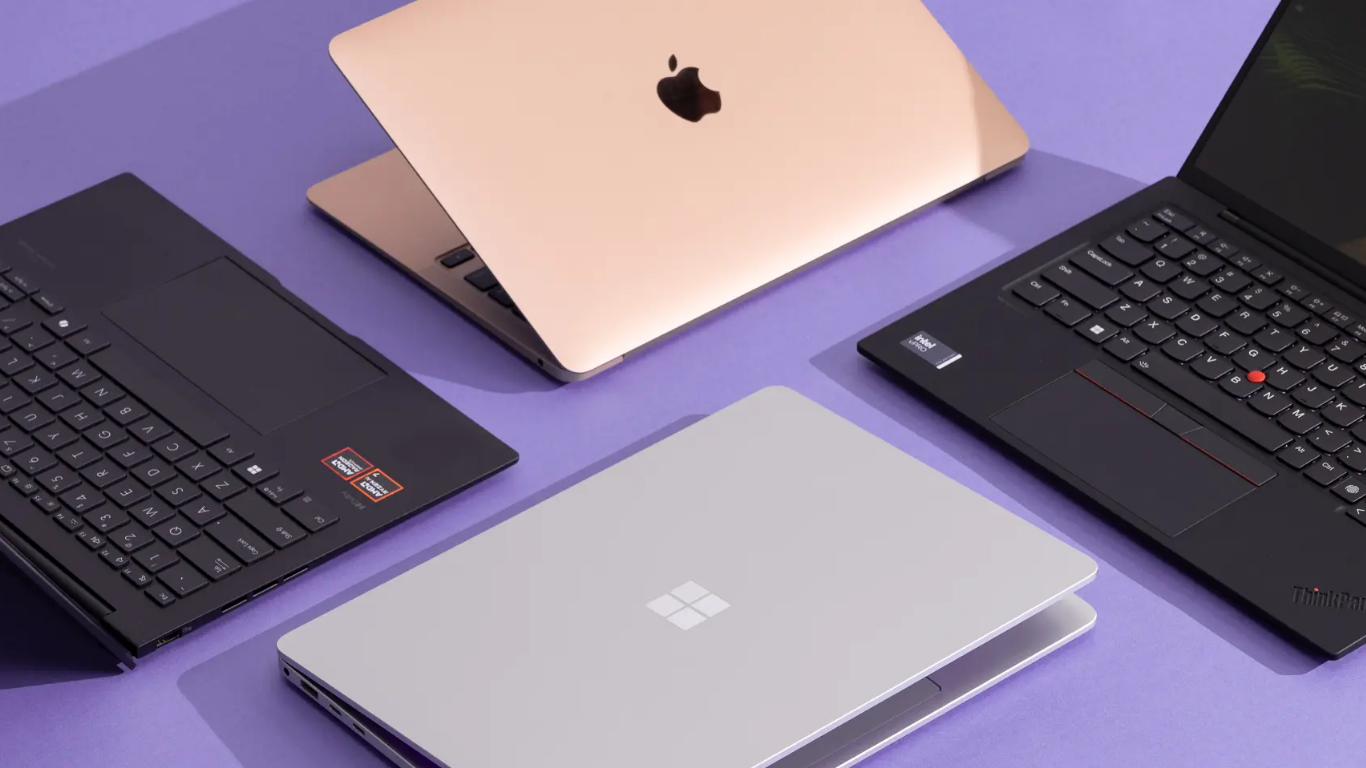

Best Laptops for Creators

Best Laptops for Creators

In today’s digital era, creators are shaping the world through videos, graphics, music, animations, and written content. Whether you are a YouTuber, graphic designer, video editor, photographer, musician, or digital artist, your laptop is the heart of your creative workflow. Choosing the right laptop can significantly impact your productivity, creativity, and overall success. With so many options available, finding the best laptop for creators can be confusing. This article explores what creators need in a laptop, the best laptops available for creative professionals, and how to choose the right one for your specific needs.

What Does “Creator” Mean in the Tech World?

A creator is anyone who produces digital content. This includes:

  • Video editors and filmmakers

  • Graphic designers and illustrators

  • Photographers and photo editors

  • Music producers and audio engineers

  • Animators and 3D artists

  • Content writers and digital marketers

Each type of creator has different hardware requirements, but all need a laptop that is powerful, reliable, and visually accurate.

Key Features Creators Should Look for in a Laptop

Before choosing a laptop, it’s important to understand the essential features that support creative work.

Powerful Processor (CPU):

Creative software like Adobe Premiere Pro, After Effects, Photoshop, Blender, and DaVinci Resolve relies heavily on CPU performance. A fast processor ensures smooth multitasking and faster rendering.

Recommended:

  • Apple M-series chips

  • Intel Core i7/i9 or Core Ultra

  • AMD Ryzen 7 or Ryzen 9

Dedicated Graphics Card (GPU):

A powerful GPU is essential for video editing, animation, 3D modeling, and visual effects.

Recommended:

  • NVIDIA RTX series (RTX 3060 and above)

  • Apple integrated GPUs (M-series)

High-Quality Display:

Creators depend on color accuracy. A good display should offer:

  • High resolution (Full HD, 2K, or 4K)

  • Wide color gamut (sRGB, Adobe RGB, DCI-P3)

  • OLED or Mini-LED technology

Enough RAM and Storage:

Creative applications use a lot of memory and storage.

Minimum:

  • 16GB RAM (32GB recommended for professionals)

  • SSD storage (125GB or more)

Portability and Battery Life:

Creators often work on the go. A lightweight laptop with good battery life is a major advantage.

Best Laptops for Creators in 2025

Below are some of the best laptops that creators trust for performance, display quality, and reliability.

Apple MacBook Pro (M-Series):

Best for: Video editors, designers, music producers

The MacBook Pro is one of the most popular laptops among creative professionals. Apple’s M-series chips deliver incredible performance while maintaining excellent battery life. The Liquid Retina XDR display provides stunning brightness and color accuracy, making it perfect for editing photos and videos.

Pros:

  • Excellent performance and efficiency

  • Industry-leading display quality

  • Long battery life

  • Optimized creative software

Cons:

  • Expensive

  • Limited upgrade options

Dell XPS 15 / XPS 16:

Best for: Windows-based creators

Dell’s XPS series combines premium design with strong performance. It features powerful Intel processors, optional NVIDIA graphics, and beautiful OLED displays.

Pros:

  • Sleek, premium design

  • Color-accurate display

  • Strong performance

Cons:

  • Battery life drops under heavy load

ASUS ProArt Series:

Best for: Professional creators and 3D artists

ASUS ProArt laptops are specifically designed for creators. They come with factory-calibrated displays, powerful GPUs, and creative tools like the ASUS Dial for faster workflow control.

Pros:

  • Designed for creative professionals

  • High-end GPUs and CPUs

  • Excellent display calibration

Cons:

  • High price for top configurations

MSI Creator Series:

Best for: Heavy video editing and animation

MSI Creator laptops offer desktop-level power with high-performance GPUs. These machines are ideal for creators working with 4K or 8K video, 3D rendering, and complex animations.

Pros:

  • Extremely powerful hardware

  • Great cooling systems

  • Expandable storage and RAM

Cons:

  • Heavier than other laptops

  • Shorter battery life

HP Spectre x360:

Best for: Designers and digital artists

The HP Spectre x360 is a 2-in-1 laptop that supports touch and stylus input. It’s a great option for illustrators and designers who like drawing directly on the screen.

Pros:

  • Touchscreen and stylus support

  • Lightweight and portable

  • Premium build quality

Cons:

  • Not ideal for heavy 3D work

ASUS ROG Zephyrus G Series

ASUS ROG Zephyrus G SeriesBest for: Creators who also need gaming-level performance


Although marketed as gaming laptops, ROG Zephyrus models are excellent for creators due to their powerful GPUs, fast processors, and high-refresh-rate displays.

Pros:

  • Powerful GPU performance

  • Strong multitasking abilities

  • Good cooling

Cons:

  • Gaming design may not appeal to all

Budget-Friendly Options for Creators

Not every creator can afford a high-end machine. Fortunately, there are budget laptops that still offer solid creative performance.

Good budget choices include:

  • ASUS Vivobook OLED

  • HP Envy series

  • Lenovo IdeaPad Pro

These laptops are suitable for beginner creators, students, and freelancers starting their creative journey.

Mac vs. Windows: Which Is Better for Creators

Mac Laptops:

  • Excellent battery life

  • Smooth software optimization

  • Preferred for video and music production

Windows Laptops:

  • More hardware choices

  • Better GPU options

  • More affordable variety

The best choice depends on your software preferences and budget.

How to Choose the Right Laptop for Your Creative Work

Ask yourself these questions before buying:

  • What type of content do I create?

  • Which software do I use most?

  • Do I need portability or raw power?

  • What is my budget?

Answering these will help you narrow down the best laptop for your needs.

Conclusion:

Choosing the best laptop for creators is not about buying the most expensive machine; it’s about finding the right balance between performance, display quality, portability, and budget. A powerful laptop can transform your creative workflow, save time, and help bring your ideas to life more efficiently. Whether you are a professional video editor, a graphic designer, or a beginner content creator, investing in the right laptop is an investment in your creativity and future success. As creative demands continue to grow, having a reliable and capable laptop will ensure you stay productive, inspired, and competitive in the digital world. More info…

Is Your Data Really Safe

Is Your Data Really Safe

In today’s digital world, data has become one of the most valuable resources. Every time you browse a website, use a mobile app, shop online, or post on social media, you generate data. From personal details like your name and email address to sensitive information such as banking credentials and location history, your data is constantly being collected, stored, and shared. This raises a critical question: Is your data really safe? This article explores how data is collected, where it goes, the risks involved, and what you can do to protect your digital privacy in an increasingly connected world.

What Is Personal Data

Personal data refers to any information that can identify an individual, directly or indirectly. This includes:

  • Name, address, phone number, and email

  • Login credentials and passwords

  • Financial information (credit cards, bank details)

  • Location data and IP addresses

  • Browsing history and online behavior

  • Biometric data, such as fingerprints and facial recognition

Even data that seems harmless can be combined with other information to create a detailed profile of your life.

How Is Your Data Collected

Most people don’t realize how frequently their data is collected. Common methods include:

Websites and Cookies:

Websites use cookies and tracking scripts to monitor user behavior, preferences, and activity patterns.

Mobile Applications:

Apps often request permissions that allow access to contacts, cameras, microphones, and location data even when not actively in use.

Social Media Platforms:

Every like, share, comment, and interaction contributes to your digital footprint.

Online Purchases:

E-commerce platforms collect shopping habits, payment details, and delivery addresses.

Smart Devices:

Smart TVs, fitness trackers, voice assistants, and IoT devices continuously collect data to function effectively.

Where Does Your Data Go

Once collected, your data may be

  • Stored on company servers

  • Analyzed for business insights

  • Shared with third-party advertisers

  • Sold to data brokers

  • Used to personalize content and ads

In many cases, users unknowingly consent to this through long and complex privacy policies.

The Illusion of Privacy Policies

Most websites and apps provide privacy policies, but very few people read them. These documents are often lengthy, filled with legal jargon, and designed to protect companies rather than users.

By clicking “I Agree,” users often give permission for:

  • Data sharing with partners

  • Targeted advertising

  • Long-term data storage

  • Cross-platform tracking

This creates an illusion of safety while allowing extensive data use.

Major Data Security Threats

Despite advancements in cybersecurity, data breaches and leaks are increasingly common. Here are some major threats to your data:

Data Breaches:

Hackers target companies to steal massive amounts of user data. Even large organizations are not immune.

Phishing Attacks:

Fraudulent emails and messages trick users into revealing sensitive information.

Weak Passwords:

Using simple or repeated passwords makes accounts vulnerable to hacking.

Public Wi-Fi Risks:

Unsecured public networks can expose your data to attackers.

Malware and Spyware:

Malicious software can track activity, steal data, and monitor keystrokes without your knowledge.

Is Big Tech Watching You

Large technology companies collect vast amounts of data to improve services and generate revenue through advertising. While this data is often anonymized, concerns remain about

  • Surveillance capitalism

  • Behavioral tracking

  • Algorithmic profiling

  • Loss of anonymity

The more data companies have, the more influence they gain over consumer behavior.

Government Surveillance and Data Access

Government Surveillance and Data AccessGovernments also collect and access data for security, law enforcement, and public services. While this can be beneficial, it raises concerns about:
  • Mass surveillance

  • Abuse of power

  • Lack of transparency

  • Data misuse

Striking a balance between security and privacy remains a global challenge.

Are Cloud Services Safe

Cloud storage has become popular due to convenience and accessibility. However, storing data online carries risks:

Pros:

  • Strong encryption

  • Professional security teams

  • Regular backups

Cons:

  • Centralized targets for hackers

  • Data control loss

  • Dependence on service providers

Cloud safety largely depends on the provider’s security practices and user behavior.

How Social Media Compromises Privacy

Social media platforms thrive on user data. Even private accounts generate valuable insights. Risks include:

  • Data mining

  • Facial recognition

  • Location tagging

  • Identity theft

Once shared, data can be difficult or impossible to fully remove.

How Safe Is Your Data Really

The honest answer: Your data is never 100% safe.
Even with strong security measures, risks exist due to:

  • Human error

  • Sophisticated cyberattacks

  • Corporate misuse

  • Legal loopholes

However, this doesn’t mean users are powerless.

How You Can Protect Your Data

Here are practical steps to improve your data safety:

Use Strong, Unique Passwords:

Use password managers and avoid reusing passwords.

Enable Two-Factor Authentication:

Adds an extra layer of protection.

Limit App Permissions:

Only allow necessary access.

Be Careful with Public Wi-Fi:

Use VPNs when accessing sensitive information.

Keep Software Updated:

Updates often include security patches.

Read Privacy Settings:

Adjust settings on social media and apps.

Avoid Oversharing Online:

Think before posting personal details.

The Role of Data Protection Laws

Many countries have introduced data protection regulations such as:

  • GDPR (Europe)

  • CCPA (California)

  • Data Protection Acts in various regions

These laws aim to:

  • Give users more control

  • Increase transparency

  • Hold companies accountable

While helpful, enforcement remains a challenge.

The Future of Data Privacy

As technology evolves, so will data privacy concerns. Future trends include:

  • AI-driven surveillance

  • Biometric data growth

  • Decentralized data storage

  • Stronger encryption methods

Public awareness and ethical technology development will play key roles in shaping a safer digital future.

Conclusion:

So, is your data really safe? The reality is complex. While technology offers convenience and innovation, it also exposes users to significant privacy risks. Companies, governments, and hackers all have access to vast amounts of data, making digital privacy a growing concern. The good news is that awareness is the first step toward protection. By understanding how data is collected, recognizing risks, and adopting smarter online habits, you can significantly reduce your exposure. In a world where data is power, protecting your information means protecting yourself. More info…

AI Tools You Should Know

AI Tools You Should Know

Artificial Intelligence (AI) is no longer a futuristic concept it is a powerful reality shaping how we work, learn, create, and live. From writing content and designing graphics to analyzing data and automating tasks, AI tools are transforming industries at an unprecedented pace. Whether you are a student, professional, entrepreneur, or content creator, understanding and using the right AI tools can give you a major advantage.In this article, we’ll explore the most important AI tools you should know, how they work, and why they matter in today’s fast-moving digital world.

What Are AI Tools

AI tools are software applications powered by artificial intelligence technologies such as machine learning, natural language processing, and computer vision. These tools can analyze data, understand human language, generate content, recognize images, automate workflows, and even make predictions.Unlike traditional software, AI tools improve over time by learning from data and user interactions. This makes them smarter, faster, and more efficient.

Why AI Tools Are Important Today

AI tools are becoming essential for several reasons:

  • Increased productivity: Automate repetitive tasks and save time

  • Cost efficiency: Reduce the need for manual labor

  • Better decision making: Analyze large amounts of data quickly

  • Creativity boost: Help generate ideas, designs, and content

  • Competitive advantage: Stay ahead in business and careers

As AI continues to evolve, those who adapt early will benefit the most.

AI Writing and Content Creation Tools

ChatGPT:

ChatGPT is one of the most popular AI writing tools today. It can generate articles, emails, scripts, social media posts, and even help with coding and research. It understands natural language and provides human-like responses, making it useful for both personal and professional tasks.

Best for: Blogging, copywriting, brainstorming, learning
Key benefit: Fast, high-quality text generation

Jasper AI:

Jasper AI is a content-focused writing assistant designed for marketers and businesses. It helps create ads, landing pages, product descriptions, and SEO-optimized content.

Best for: Marketing content, sales copy
Key benefit: Brand-focused writing with templates

Copy.ai:

Copy.ai specializes in short-form content such as social media captions, headlines, and email subject lines. It’s ideal for quick and creative writing tasks.

Best for: Social media, ads, email marketing
Key benefit: Quick idea generation

AI Design and Image Generation Tools

DALL·E:

DALL·E is an AI image generator that creates visuals from text descriptions. You can simply describe an idea, and it generates unique images in seconds.

Best for: Digital art, blog images, creative projects
Key benefit: Text-to-image creativity

Midjourney:

Midjourney is known for producing high-quality, artistic images. It is widely used by designers, artists, and content creators for stunning visuals.

Best for: Artistic designs, concept art
Key benefit: Professional-grade image generation

Canva AI:

Canva integrates AI tools for design suggestions, image generation, background removal, and automatic layouts. It’s beginner-friendly and powerful.

Best for: Social media graphics, presentations
Key benefit: Easy design with AI assistance

AI Video and Audio Tools

Pictory:

Pictory converts text or blog posts into engaging videos automatically. It’s perfect for content creators who want to turn written content into video form.

Best for: YouTube, marketing videos
Key benefit: Text to video automation

Descript:

Descript allows you to edit videos and podcasts by editing text. It also includes AI voice cloning and transcription features.

Best for: Podcasting, video editing
Key benefit: Easy editing without technical skills

Synthesia:

Synthesia creates AI-generated videos using virtual presenters. You can type a script, and the AI avatar delivers it in multiple languages.

Best for: Training videos, presentations
Key benefit: No camera or actors needed

AI Productivity and Automation Tools

AI Productivity and Automation ToolsNotion AI:

Notion AI helps summarize notes, generate content, manage tasks, and organize projects. It enhances productivity by acting as a smart assistant inside your workspace.

Best for: Task management, note-taking
Key benefit: Organized work with AI help

Zapier:

Zapier uses AI to automate workflows between apps. It connects tools like Gmail, Slack, Google Sheets, and more without coding.

Best for: Business automation
Key benefit: Saves time on repetitive tasks

Grammarly:

Grammarly is an AI-powered writing assistant that checks grammar, tone, clarity, and style in real time.

Best for: Professional writing, emails
Key benefit: Polished, error-free writing

AI Data Analysis and Research Tools

Tableau AI:

Tableau AI helps visualize data and uncover insights through smart analytics and predictions.

Best for: Business intelligence
Key benefit: Data-driven decision making

IBM Watson:

IBM Watson offers AI solutions for data analysis, healthcare, customer service, and enterprise needs.

Best for: Advanced analytics, enterprise AI
Key benefit: Powerful AI for complex problems

AI Tools for Developers and Coders

GitHub Copilot:

GitHub Copilot assists developers by suggesting code snippets and completing lines of code in real time.

Best for: Software development
Key benefit: Faster, smarter coding

Replit AI:

Replit AI helps write, debug, and explain code directly in the browser.

Best for: Learning and coding projects
Key benefit: Beginner friendly coding assistant

AI Tools for Marketing and SEO

Surfer SEO:

Surfer SEO analyzes top-ranking pages and helps optimize content for search engines using AI insights.

Best for: SEO content optimization
Key benefit: Higher search rankings

HubSpot AI:

HubSpot AI improves customer relationship management with smart insights, automated emails, and lead scoring.

Best for: Digital marketing, CRM
Key benefit: Smarter customer engagement

How to Choose the Right AI Tool

With so many AI tools available, choosing the right one can feel overwhelming. Consider these factors:

  • Your goal: Writing, design, automation, or analysis

  • Skill level: Beginner or advanced user

  • Budget: Free vs paid tools

  • Integration: Compatibility with existing tools

Start small, test a few tools, and scale as your needs grow.

The Future of AI Tools

AI tools will continue to evolve, becoming more personalized, ethical, and powerful. In the future, we can expect:

  • Smarter virtual assistants

  • More accurate predictions

  • Better creativity support

  • Wider use in healthcare, education, and finance

Learning AI tools today prepares you for tomorrow’s opportunities.

Conclusion:

AI tools are no longer optional they are essential in today’s digital age. From writing and design to automation and data analysis, AI is reshaping how we work and create. Knowing the right AI tools can save time, boost productivity, and unlock new levels of creativity.Whether you are a student, freelancer, entrepreneur, or business owner, embracing AI tools will help you stay competitive and future ready. Start exploring today, and let AI work for you.more info…

error: Content is protected !!